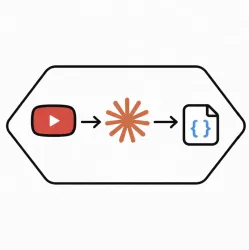
Turn any YouTube video into AI-ready output using just a video URL and a prompt.
This API fetches the transcript, analyzes the content, and returns a final answer in plain text or strict JSON. It is ideal for summarization, extraction, classification, review analysis, and structured data generation from YouTube videos.
Short videos are processed in one pass. Long videos are automatically chunked and merged in the background so no transcript data is lost.
Input:
Output:
Video URL + Prompt = { "answer": "❤️🔥" }
Zyla Listing Tone
Analyze YouTube videos with AI in one simple API call.
Send a YouTube video URL, your prompt, and an optional JSON schema. The API retrieves the transcript, processes the full video content, and returns a clean AI-generated response in text or structured JSON.
Built for developers who want reliable transcript-based AI outputs without handling transcript fetching, chunking, or response shaping on their own.
Why it works well:
Perfect for:
Simple in, powerful out:
Video URL + Prompt = { "answer": "structured json" }
{
  "success": true,
  "result": {
    "inputUrl": "https://www.youtube.com/watch?v=tzruGtCBK9o",
    "videoId": "tzruGtCBK9o",
    "videoUrl": "https://www.youtube.com/watch?v=tzruGtCBK9o",
    "status": "ok",
    "output": {
      "positives": [
        "High-quality audio peripherals, living up to Sennheiser's legacy.",
        "Significant leap in design and quality compared to previous models.",
        "Beautiful hard case with useful accessories included.",
        "Minimalistic and unobtrusive design.",
        "Well-built construction with fabric headband and faux leather ear cups.",
        "Effective touch controls for various functions.",
        "Long battery life of up to 60 hours, ideal for travelers.",
        "Good active noise cancellation for typical commute noises.",
        "Excellent sound quality with decent clarity in mids and highs.",
        "Visual EQ in the Sennheiser app allows for a balanced and high-quality listening experience.",
        "Sufficient audio quality for most genres and users."
      ],
      "negatives": [
        "Headphones are not the lightest, though they do not feel cheap.",
        "Construction is a bit stiff and bulky.",
        "Active noise cancellation can be fatiguing over long periods.",
        "Transparency mode is not very effective when audio is playing.",
        "Uncomfortable fit for long periods due to tight headband and ear cups pinching ears."
      ]
    }
  },
  "meta": {
    "primaryModel": "mistralai/mistral-medium-3-instruct",
    "fallbackModel": "z-ai/glm4.7",
    "finalModel": "mistralai/mistral-medium-3-instruct",
    "outputMode": "json_schema",
    "fallbackUsed": false,
    "chunkCount": 1,
    "transcriptSegmentCount": 0,
    "transcriptCharacterCount": 5021,
    "llmCallCount": 1,
    "successfulLlmCallCount": 1,
    "llmAttemptCount": 1,
    "modelsUsed": [
      "mistralai/mistral-medium-3-instruct"
    ]
  }
}
curl --location --request POST 'https://zylalabs.com/api/12410/ai+youtube+transcript+api/23479/analyze+youtube+transcript' --header 'Authorization: Bearer YOUR_API_KEY'

--data-raw '{
  "videoUrl": "https://www.youtube.com/watch?v=tzruGtCBK9o",
  "prompt": "Find the main positive and negative points mentioned in this video about the product, service, or topic being discussed. Use only transcript-supported evidence.",
  "jsonschema": {
    "title": "sentiment_points",
    "type": "object",
    "additionalProperties": false,
    "properties": {
      "positives": {
        "type": "array",
        "items": {
          "type": "string"
        }
      },
      "negatives": {
        "type": "array",
        "items": {
          "type": "string"
        }
      }
    }
  }
}'
| Header | Description |
|---|---|
Authorization
|
[Required] Should be Bearer access_key. See "Your API Access Key" above when you are subscribed. |
No long-term commitment. Upgrade, downgrade, or cancel anytime.
The API returns structured data derived from YouTube video transcripts, including both pure text and strictly formatted JSON. The output contains insights based on the provided prompt and the video's content.
The key fields in the response include `success`, `result`, `inputUrl`, `videoId`, `videoUrl`, `status`, and `output`. The `output` field contains the processed insights based on the video transcript.
Users can customize their requests by providing a specific `prompt` along with the `videoUrl`. An optional `jsonschema` can also be included to define the desired structure of the output.
The response data is organized in a JSON format with a top-level object containing `success` status and a `result` object. The `result` includes metadata about the video and the processed `output` insights.
The API provides insights such as summaries, sentiment analysis, content categorization, and key points extracted from the video transcript, making it suitable for various analytical tasks.
Data accuracy is maintained through automated transcription processes and AI analysis, ensuring that the output reflects the content of the video accurately. Continuous improvements in AI models also enhance quality.
Typical use cases include content summarization, sentiment analysis for comments, data extraction for research, and generating structured insights for SaaS applications, enhancing user engagement and understanding.
Users can utilize the returned data by parsing the JSON output to extract relevant insights, integrating them into applications for analytics, or using them for content creation and research purposes.
To obtain your API key, first sign in to your account and navigate to the API you want to use. From the API's Pricing section, choose a plan and complete the subscription process. Once subscribed, return to the API page and you will see your API Access Key displayed at the top of the documentation page. You can use this key to authenticate your requests.
You can’t switch APIs during the free trial. If you subscribe to a different API, your trial will end and the new subscription will start as a paid plan.
The free trial lasts for 7 days and allows you to make up to 50 API requests.
No, the free trial is available only once, so we recommend using it on the API that interests you the most. Most of our APIs offer a free trial, but some may not include this option.
Yes. If the API offers a free trial, you will see a "Free 7-Day Trial" option in its Pricing section. The trial lasts for 7 days and allows up to 50 API requests, enabling you to evaluate the API before subscribing to a paid plan.
Zyla API Hub is like a big store for APIs, where you can find thousands of them all in one place. We also offer dedicated support and real-time monitoring of all APIs. Once you sign up, you can pick and choose which APIs you want to use. Just remember, each API needs its own subscription. But if you subscribe to multiple ones, you'll use the same key for all of them, making things easier for you.
You can monitor your API usage through the response headers included with every request:
x-zyla-api-calls-monthly-used: Shows the total number of API requests you have used during the current billing period.
x-zyla-api-calls-monthly-remaining: Shows the number of API requests you have remaining for the current billing period.
Yes, you can cancel your subscription at any time. Simply go to the Pricing section of the API you're subscribed to and click the "Unsubscribe" button.
Please note that upgrades, downgrades, and cancellations take effect immediately. Once your subscription is canceled, access to the service will end immediately, regardless of any remaining API calls in your quota.
Please have a look at our Refund Policy: https://zylalabs.com/terms#refund
Service Level:
100%
Response Time:
991ms
Service Level:
100%
Response Time:
2,140ms
Service Level:
100%
Response Time:
947ms
Service Level:
100%
Response Time:
1,024ms
Service Level:
100%
Response Time:
1,520ms
Service Level:
100%
Response Time:
406ms
Service Level:
100%
Response Time:
271ms
Service Level:
100%
Response Time:
249ms
Service Level:
100%
Response Time:
462ms
Service Level:
100%
Response Time:
117ms